> ## Documentation Index
> Fetch the complete documentation index at: https://docs.monobot.ai/llms.txt
> Use this file to discover all available pages before exploring further.
# SIP Extensions
Before configuring SIP routing, you can create an extension manually.
Creating an extension is **optional**.\
An extension can be **automatically generated** when configuring the SIP Integration.
***
### Create Extension (Optional)
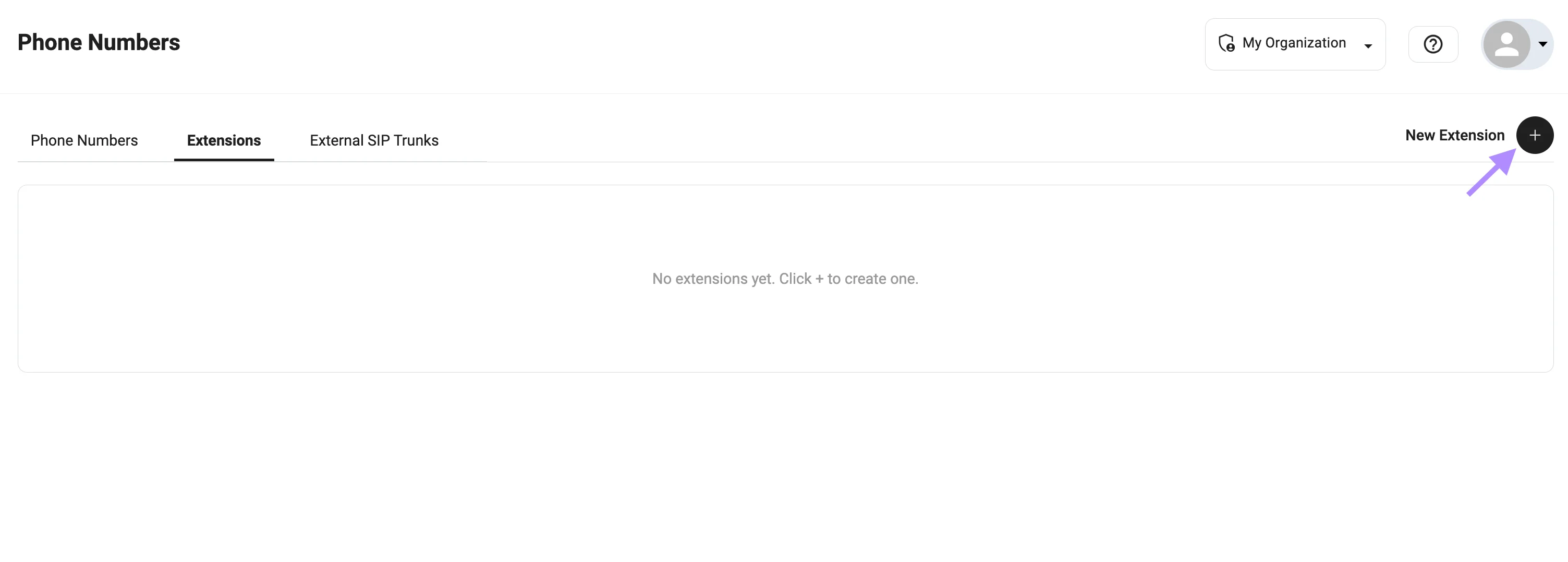
1. Go to **Phone Numbers**
2. Open the **Extensions** tab
3. Click **+** to create a new extension
 ### Configuration
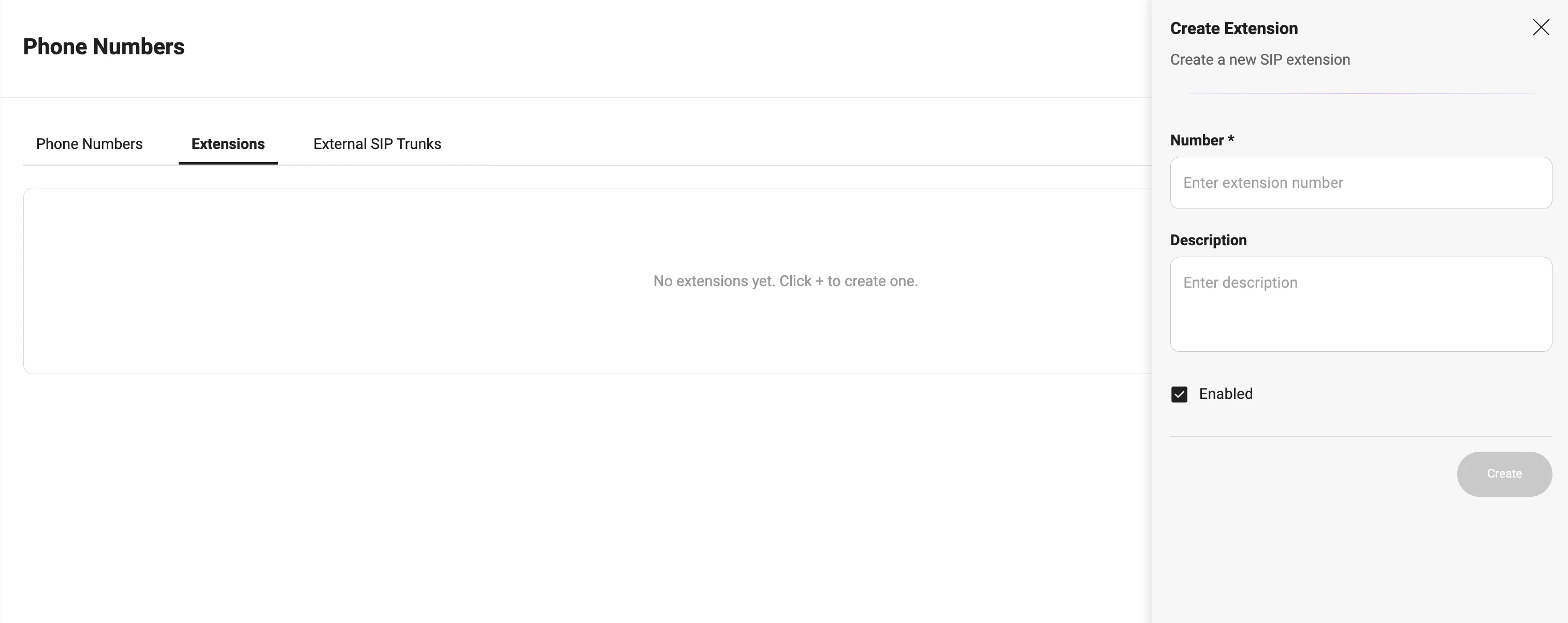
Fill in the required fields:
* **Number** — internal extension (e.g., `222222`)
* **Description** — optional label (e.g., `Support`, `Sales`)
* **Enabled** — must be active
***
### Example
```
Number: 222222
Description: Support
Enabled: true
```
### Configuration
Fill in the required fields:
* **Number** — internal extension (e.g., `222222`)
* **Description** — optional label (e.g., `Support`, `Sales`)
* **Enabled** — must be active
***
### Example
```
Number: 222222
Description: Support
Enabled: true
```
 ### Usage
Extensions are used for:
* Call transfers via **Redirect Call**
* SIP routing (`sip:${extension}@...`)
* Connecting bot ↔ PBX ↔ agents
***
If you do not create an extension manually, the system will generate one automatically during SIP Integration setup.
### Usage
Extensions are used for:
* Call transfers via **Redirect Call**
* SIP routing (`sip:${extension}@...`)
* Connecting bot ↔ PBX ↔ agents
***
If you do not create an extension manually, the system will generate one automatically during SIP Integration setup.