

Overview
SIP (Session Initiation Protocol) allows your bot to connect to telephony systems and handle voice calls. With SIP integration, you can:- Receive incoming calls
- Transfer calls to agents or external systems
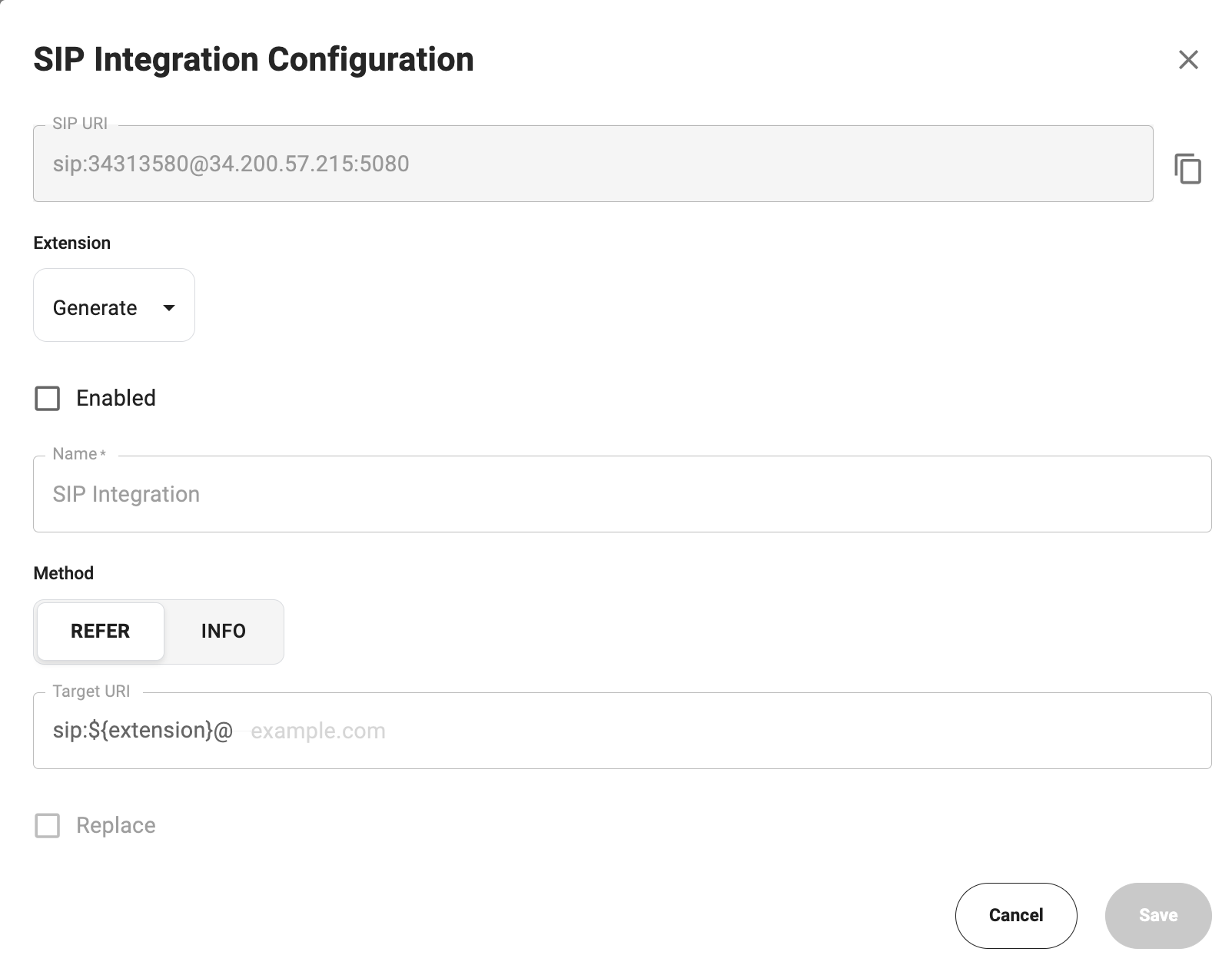
Configure SIP Integration
1. Open SIP Settings
- Go to AI Agents
- Open your bot
- Navigate to Integrations
- Click Configure in the SIP Integration block
2. SIP URI
The system generates a SIP URI automatically:3. Extension
- Can be generated automatically
- Used as an internal routing identifier
4. Enable Integration
Enable the Enabled checkbox to activate SIP.5. Method
| Method | Description |
|---|---|
| REFER | Standard SIP transfer (recommended) |
| INFO | Alternative method if REFER is not supported |