

Overview
Use PSTN when you need:- inbound calls from real users
- SMS notifications and messaging
Phone Numbers
All PSTN functionality is based on phone numbers. Each number can:- receive calls
- send SMS (See SMS Usage)
- be assigned to a specific agent
Buy Phone Number
To start, you need to purchase a number.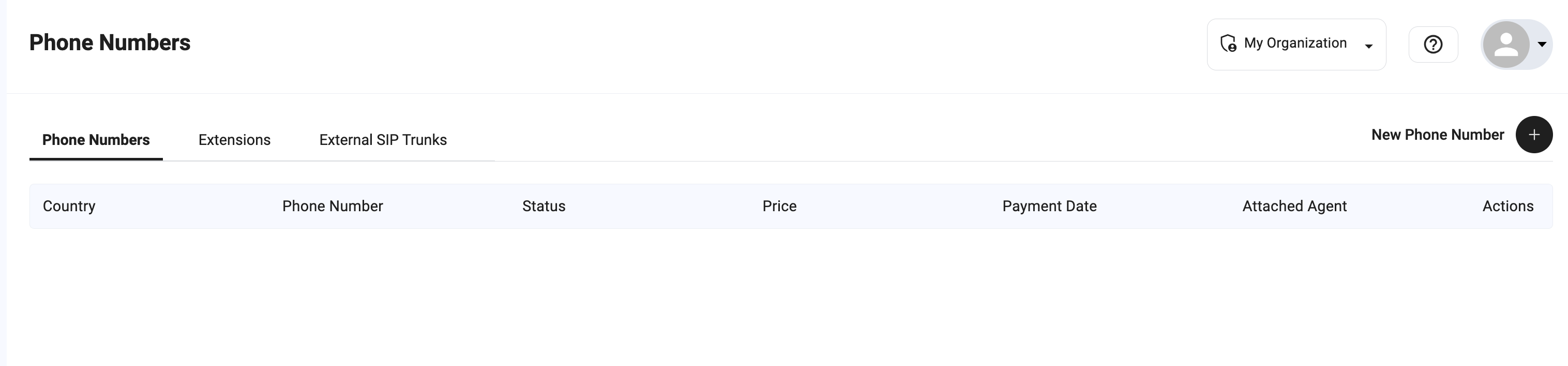
Steps
- Go to Phone Numbers
- Click New Phone Number
- Select a Country
- (Optional) Filter by digits using “Phone number starts with”
- Choose from available numbers
- Click Buy Now
Notes
- Available numbers depend on country and provider
- Pricing and renewal are shown before purchase
- Some countries may have limited availability
Connect Number to Bot
After purchasing, assign the number to an agent.How it works
- Incoming calls to the number → routed to the assigned agent
- The agent handles the conversation in real time
Setup
- Open the phone number
- Select Attached Agent
- Save changes
Only one agent handles incoming calls per number.
SMS Usage
SMS can be used for notifications and communication.Supported actions
- send SMS to users
Requirements
- correct country configuration
- valid recipient number
Management
In Phone Numbers, you can:- view all numbers
- check status and pricing
- see assigned agents
- manage renewals
Best Practices
- use dedicated numbers per use case (support, sales, etc.)
- assign clear ownership (one agent per number)
- test both call and SMS flows
Notes
- PSTN requires an active telephony provider
- pricing varies by country