Overview
Custom conditions allow you to route the flow based on the result of a previous action or function. They are useful when an action returns a specific value and the next step should depend on that result. For example, a function can evaluate whether a request is urgent and return:TrueFalse
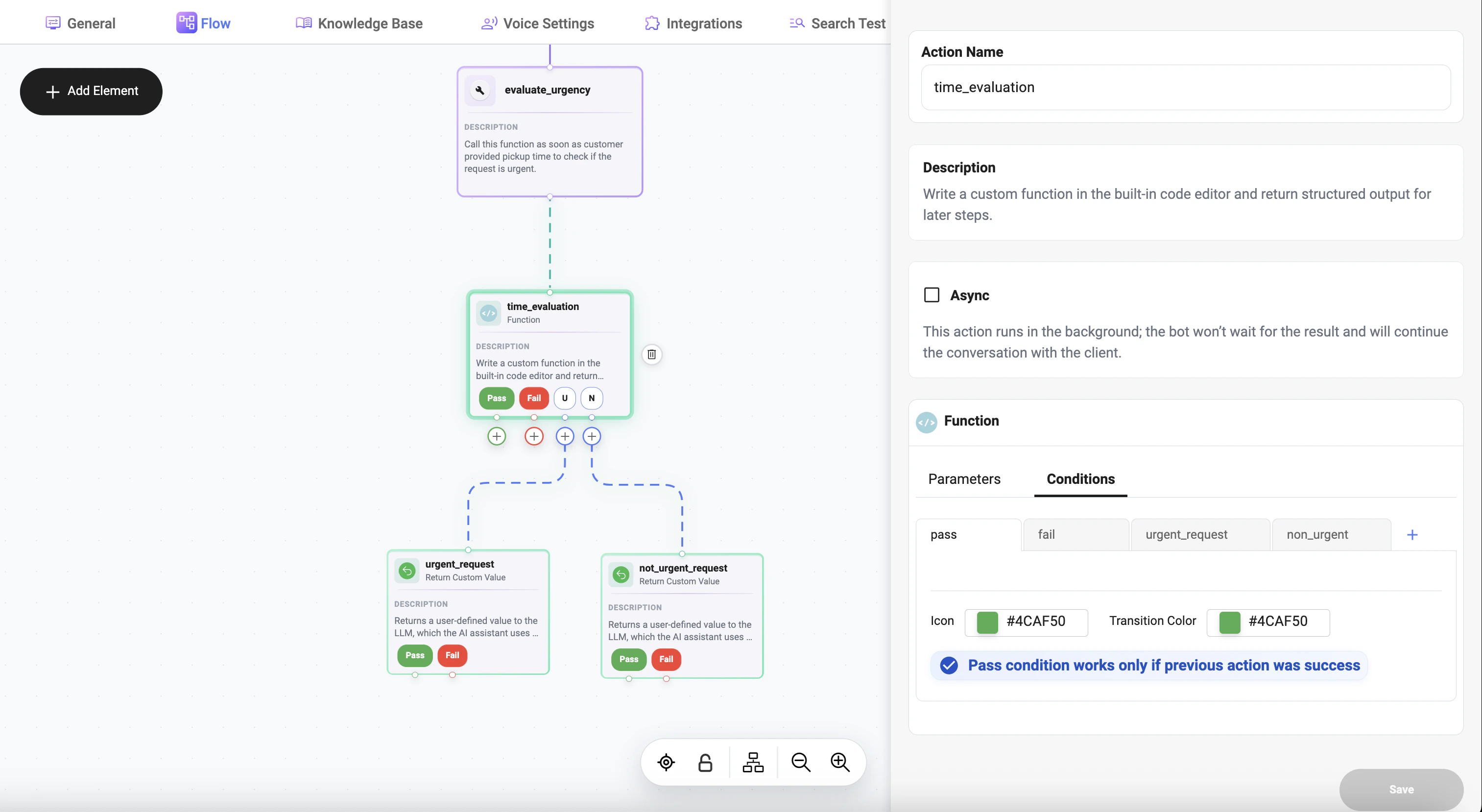
How It Works
A custom condition compares:- the result of an action or function
- with a defined value
- using a selected operator
Example
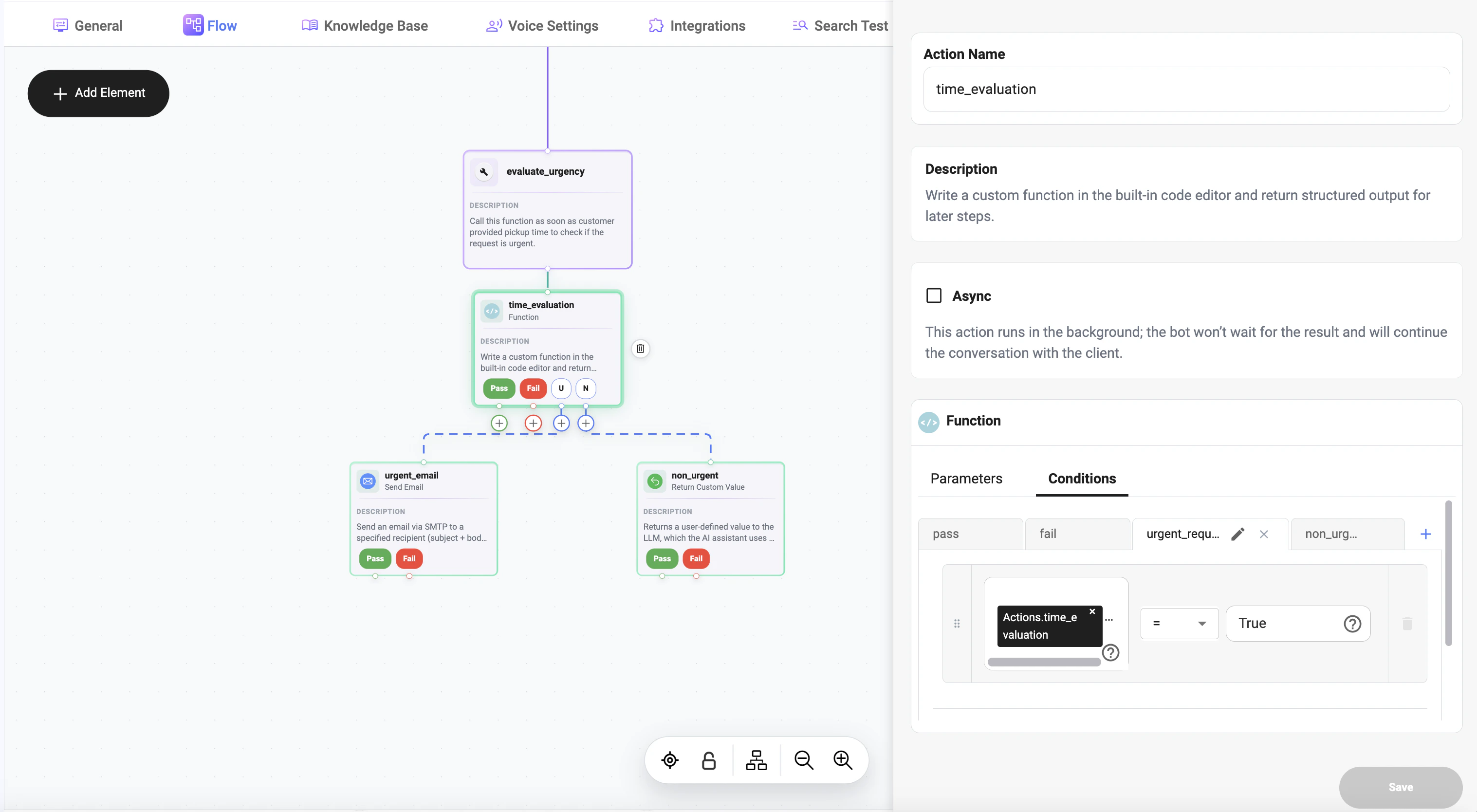
A function calledtime_evaluation checks whether the request is urgent.
The function returns:
True— urgent requestFalse— non-urgent request
- if result
=True→ go to urgent handling step - if result
=False→ go to non-urgent handling step
Use Case
Example flow:- Run
time_evaluation - Check returned value in a custom condition
- Route the flow depending on the result
= True → urgent requesttime_evaluation
= False → non-urgent request
Condition Structure
A custom condition consists of three parts:- Left value — result of the previous action or function
- Operator — comparison rule
- Right value — expected value to compare against
= True
Supported Operators
The condition builder supports comparison operators such as:INNOT INSTARTS WITHENDS WITHMATCHES REGEXCONTAINS
Passing Action Results
You can pass the result of a previous action or function into the condition. Example: Actions.time_evaluation Then compare it against the expected value: True So the full condition becomes: Actions.time_evaluation= True
Typical Scenarios
Custom conditions are commonly used for:- urgent vs non-urgent request routing
- success vs failure handling
- matching specific function results
- checking flags like True / False
- branching based on calculated values
Example: Urgent Request Routing
Condition 1: Actions.time_evaluation= True
Next step:
- trigger urgent request prompt
- escalate to priority handling (e.g., send an email to the support team)
= False
Next step:
- continue regular flow
- send standard response
- route to non-urgent branch
Best Practices
- make sure the function returns a clear and predictable value
- compare values using the correct type and format
- use simple conditions when possible
- create separate branches for different expected outcomes
- test returned values before using them in production flows
Notes
- custom conditions depend on the result of a previous action
- the compared value can be boolean, text, number, or structured output
- conditions are useful for building flexible and dynamic branching logic