Overview
IP Whitelisting is a security feature that controls which IP addresses are allowed to access your SIP endpoint.This feature is available for Enterprise plans only.
How It Works
Whitelisting behavior depends on whether IPs are configured:- No IPs added → all incoming calls are allowed
- At least one IP added → only calls from listed IPs are allowed
Why It’s Important
Whitelisting helps protect your system from:- Unauthorized access
- SIP scanning and attacks
- Toll fraud
Configure IP Whitelisting
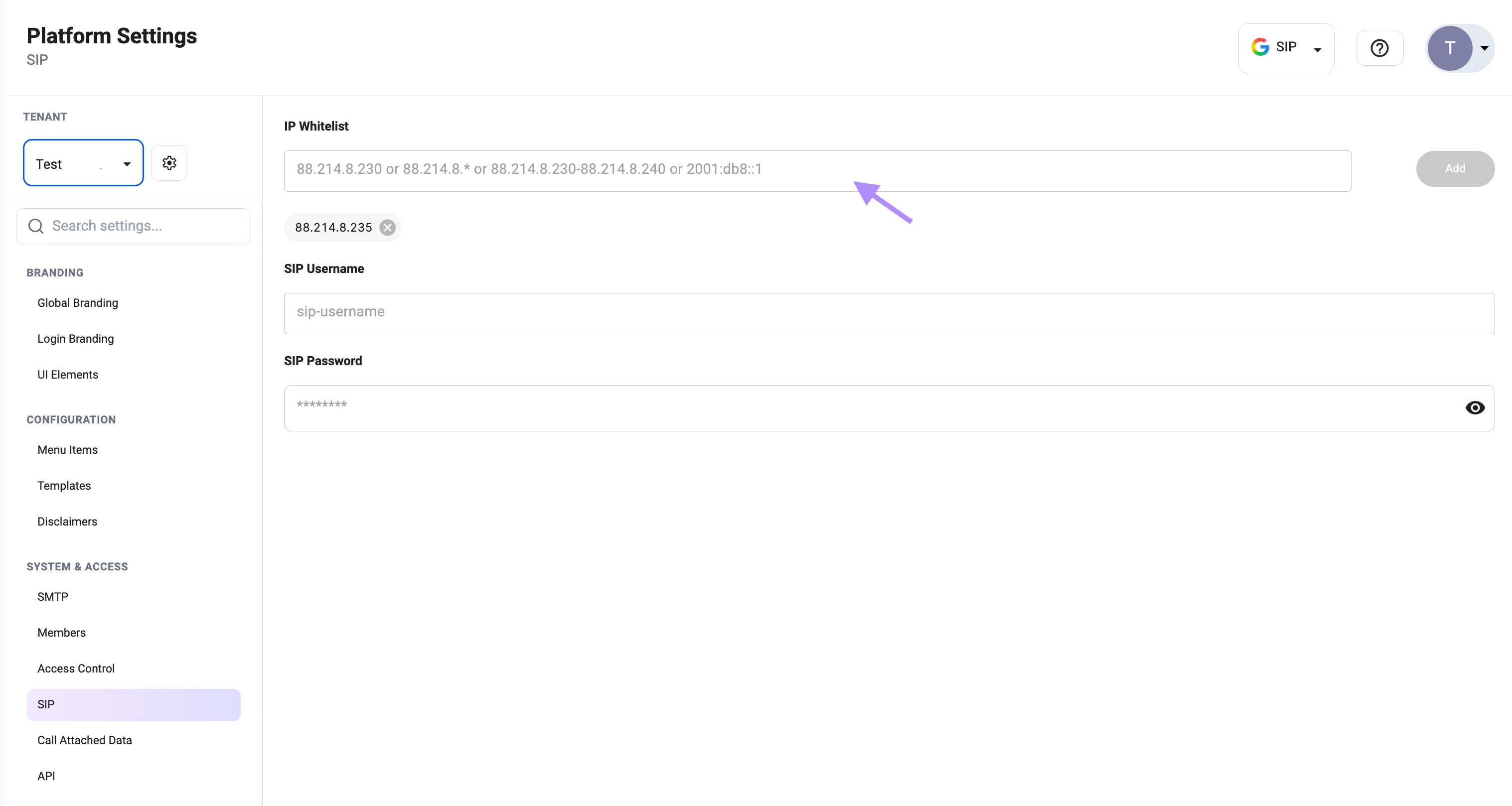
1. Open SIP Settings
- Click your Profile icon
- Select Platform Settings
- Navigate to SIP
2. Add IP Address
- Enter the desired IP address, range, or pattern
- Click Add
- Single IP:
88.214.8.230 - Wildcard:
88.214.8.* - Range:
88.214.8.230-88.214.8.240 - IPv6:
2001:db8::1
3. Apply Configuration
- Changes take effect immediately after adding IPs
Example
Make sure to whitelist all IP addresses used by your SIP provider or PBX.