Overview
External SIP Trunks are used when:- you already have a telephony provider
- you want to route calls through your own SIP server
- you need flexibility in call handling and infrastructure
How It Works
- A phone number is configured on your SIP provider (e.g., Zadarma)
- Calls are forwarded to your system via SIP (URI)
- The system processes the call using the assigned AI agent
- Responses are returned through the same SIP connection
Provider Configuration (Example: Zadarma)
1. Open Phone Number Settings
- Navigate to: Settings → Virtual Phone Number
- Select your number
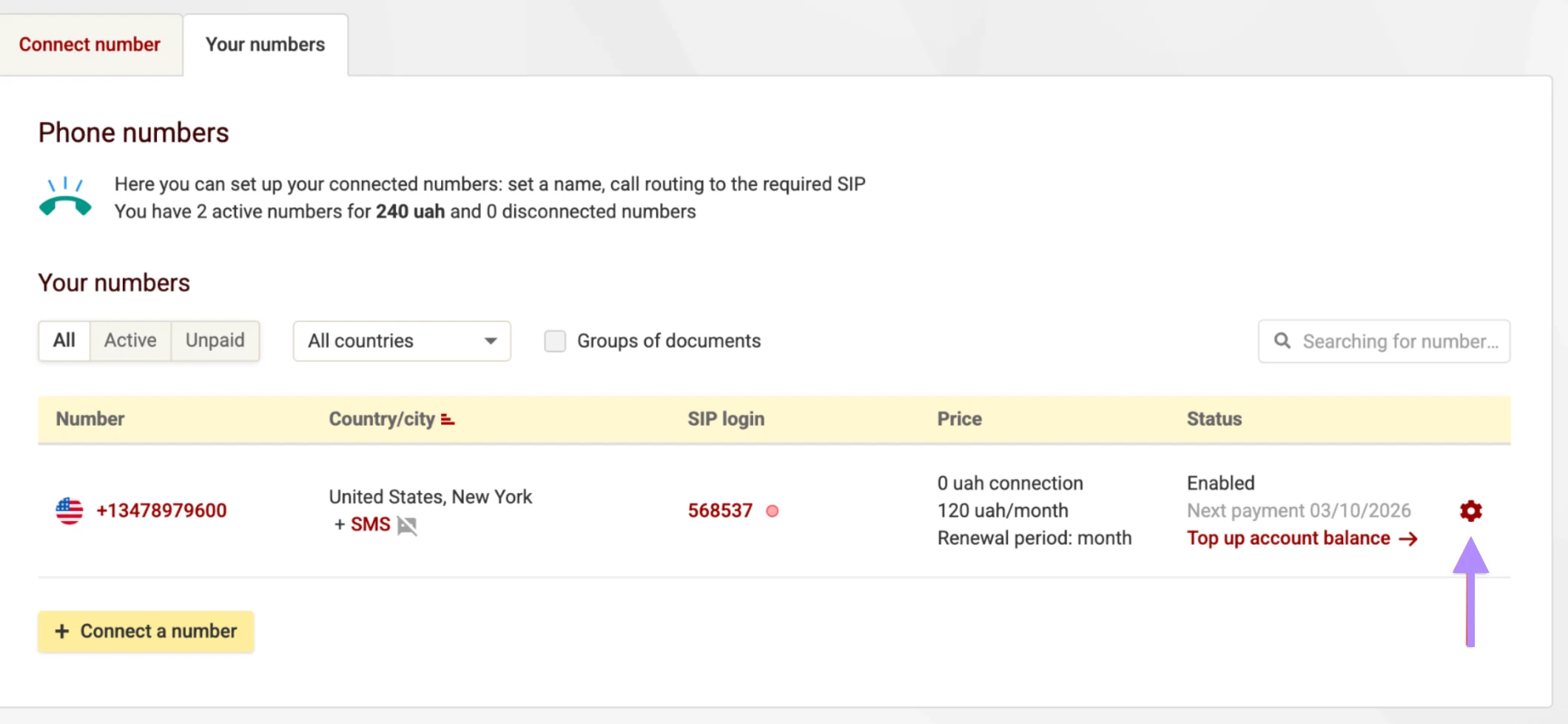
2. Enable External Server (SIP URI)
- Enable External server (SIP URI)
- Set the server address in the following format:
13478979600— your phone number34.200.57.215:5080— your system SIP endpoint
System Configuration
3. Create External SIP Trunk
- Navigate to: Phone Numbers → External SIP Trunks
- Click New External SIP Trunk
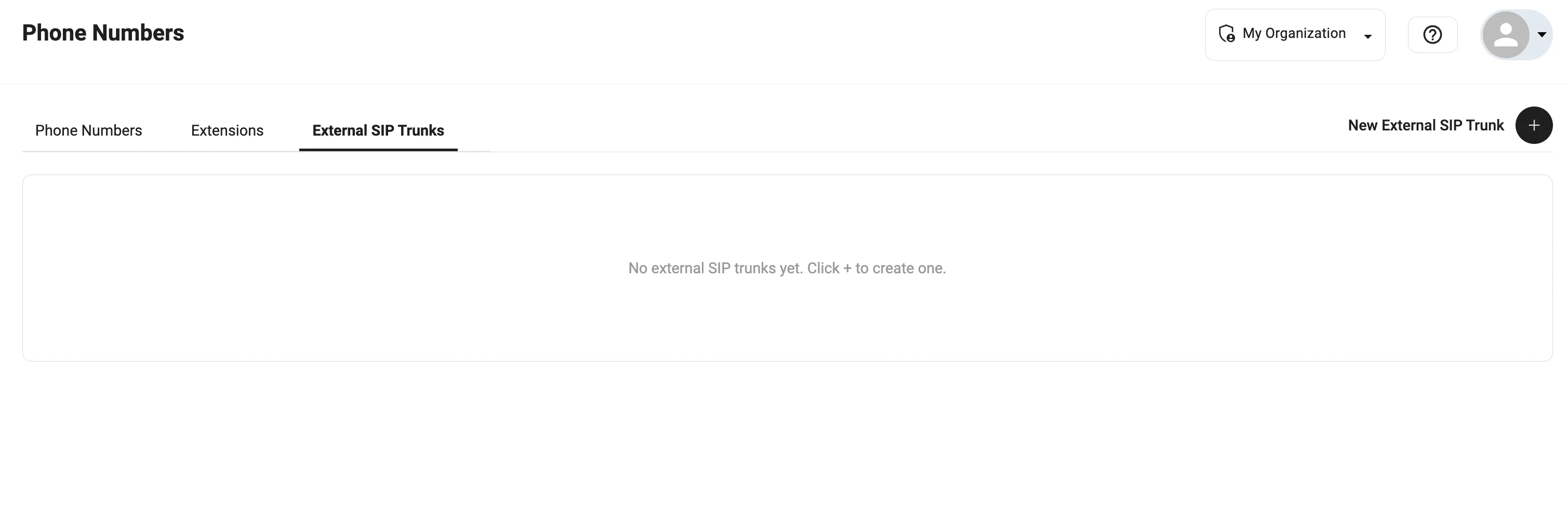
4. Configure Fields
Fill in the following parameters:-
Phone Number
Phone number from your provider -
Termination URI
SIP endpoint of the provider
Example:sip.zadarma.com -
User Name
SIP login from the provider -
Password
SIP password -
Name
Internal label (any convenient name) -
Enabled
Must be turned on
SIP credentials are provided by your telephony provider.
5. Create Trunk
Click Create to save the configuration.Assign SIP Trunk to Agent
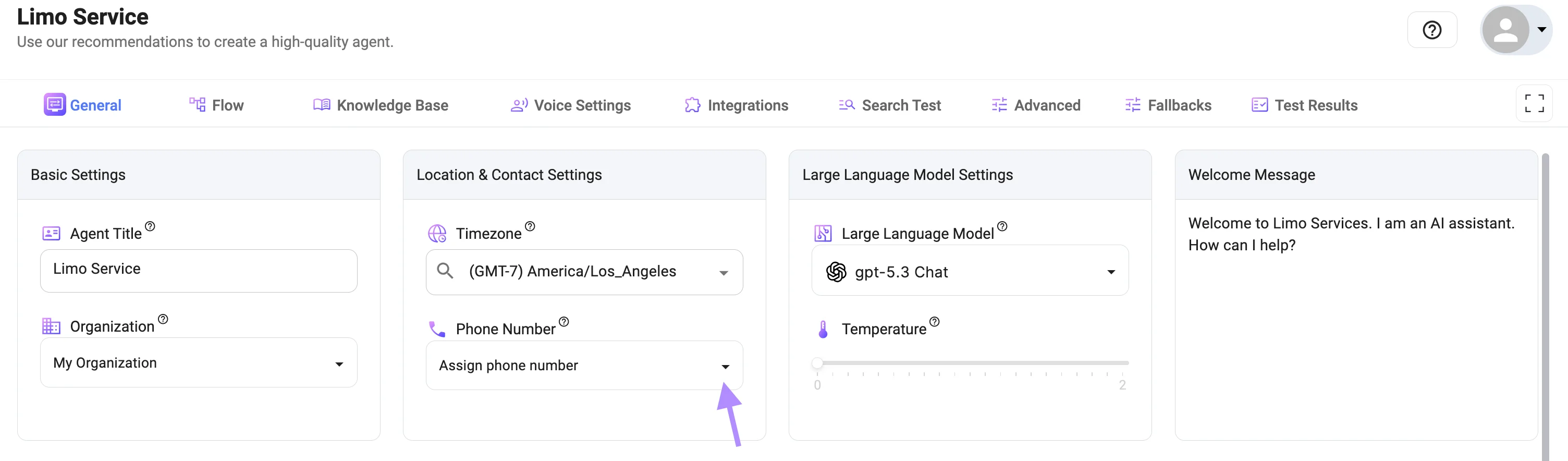
You can attach the SIP trunk in two ways:Option 1 — Agent Settings
- Open the AI agent configuration (‘General’ tab)
- Click the Phone Number dropdown
- Choose your External SIP Trunk
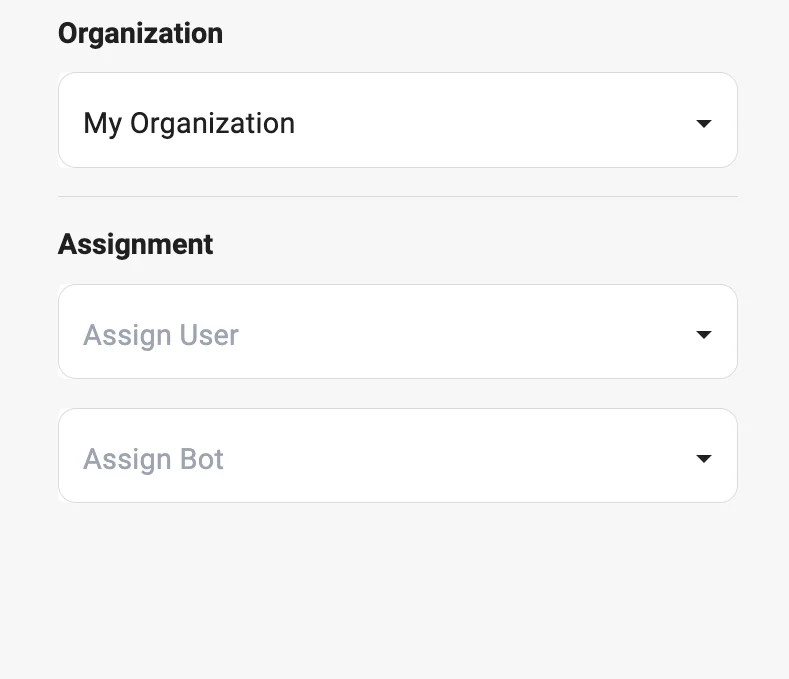
Option 2 — Assignment Section
- Navigate to ‘Phone numbers’ —> ‘External SIP Trunks’ — > Open your External SIP Trunk
- Assign an agent from the dropdown
Result
Once configured:- Incoming calls are routed through your SIP provider
- Calls are handled by the assigned AI agent
- Responses are processed in real time
Best Practices
- Ensure SIP credentials are correct
- Verify that your provider allows external routing
- Keep the trunk enabled
- Test the setup with a real call
- Use clear and descriptive naming for trunks
Notes
- External SIP Trunks require an active SIP provider
- Incorrect URI or credentials will prevent calls
- Ensure network/firewall allows SIP traffic
Use Cases
- Connecting Zadarma, Twilio SIP, Asterisk
- Using custom VoIP infrastructure
- Enterprise call routing setups
- Multi-provider telephony environments