Overview
SIP (Session Initiation Protocol) allows your bot to connect to telephony systems and handle voice calls. With SIP integration, you can:- Receive incoming calls
- Transfer calls to agents or external systems
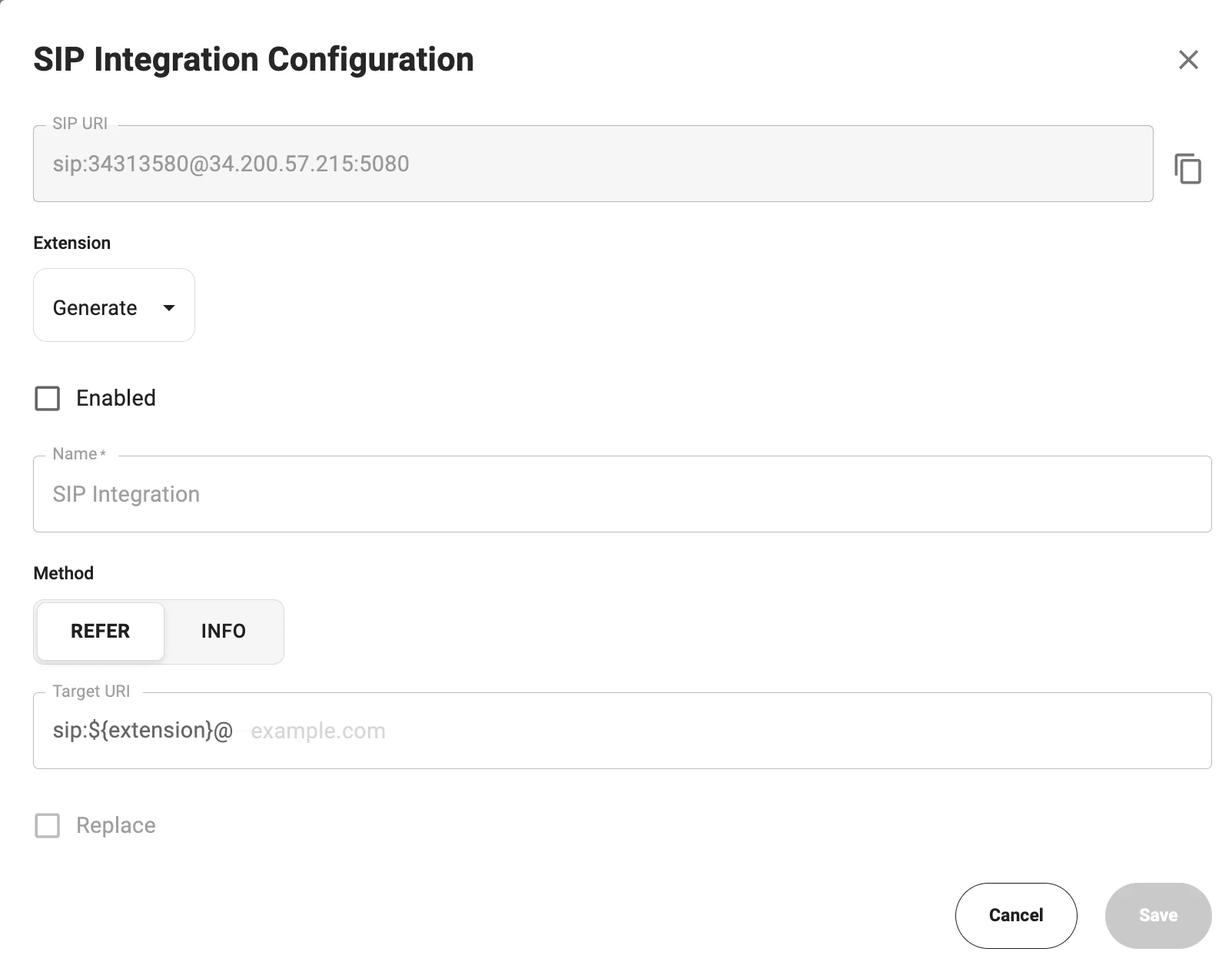
Configure SIP Integration
1. Open SIP Settings
- Go to AI Agents
- Open your bot
- Navigate to Integrations
- Click Configure in the SIP Integration block
2. SIP URI
The system generates a SIP URI automatically:3. Extension
- Can be generated automatically
- Used as an internal routing identifier
SIP Extensions can be created and managed in the Phone Numbers → Extensions section.If the required extension is not available, create it first before configuring the SIP connection.
4. Enable Integration
Enable the Enabled checkbox to activate SIP.5. Method
6. Target URI
Defines the destination for SIP call routing. The Target URI tells the system where to send the call (typically your SIP provider or PBX).The
${extension} placeholder is automatically replaced with the configured extension during the call.