Overview
Knowledge Base actions allow your bot to work with structured data (categories, CSV, text files) for dynamic responses and data storage.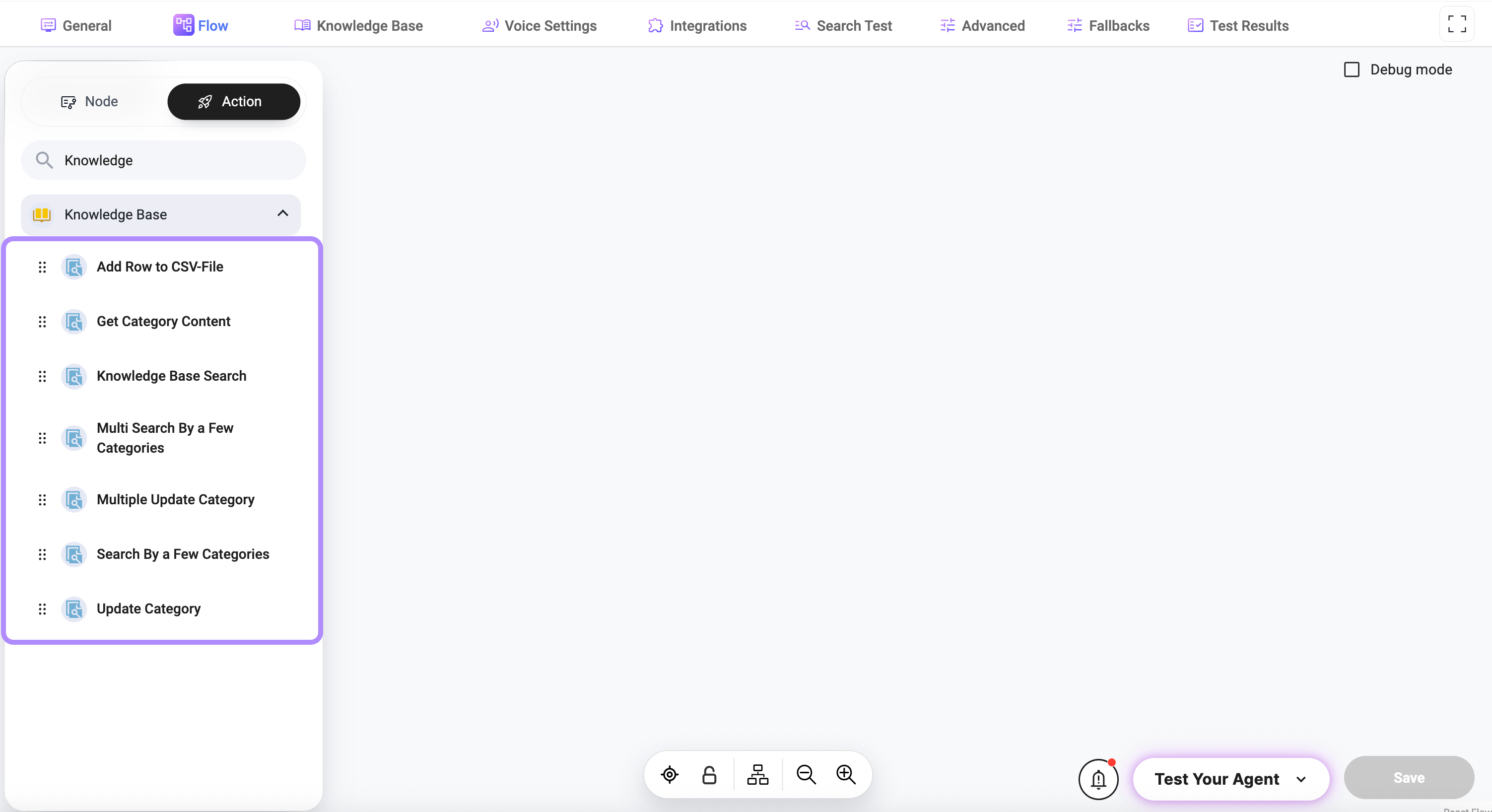
Add Row to CSV File — Store structured data
Add Row to CSV File — Store structured data
Get Category Content — Retrieve full data
Get Category Content — Retrieve full data
Returns all content from a selected category.
Parameters
- Category Name — category to retrieve data from
Knowledge Base Search — Search across data
Knowledge Base Search — Search across data
Searches for relevant results across categories.
Parameters
- Query — search input text
- CSV filtering — filter results using conditions
- CSV sorting — sort results
Advanced
- K-Num — number of results to return
- Threshold — similarity threshold (0–1)
Lower values return more results (less strict).
Higher values return fewer, more relevant matches.
Higher values return fewer, more relevant matches.
- Search in output — include output field in search
- Include — include specific fields
- Exclude — exclude specific fields
Multi Search By a Few Categories — Multiple queries
Multi Search By a Few Categories — Multiple queries
Search multiple queries across selected categories.
Parameters
- Queries — search input text
- Categories — categories to search in
Advanced
- K-Num for each category — number of results per category
- Number of page — pagination control
- Threshold — similarity threshold (0–1)
Controls how closely results must match the query.
Higher values = stricter matching.
Higher values = stricter matching.
Search By a Few Categories — Targeted search
Search By a Few Categories — Targeted search
Search within selected categories using a single query.
Parameters
- Query — search input
- Categories — selected categories
Advanced
- K-Num — number of results
- Threshold — similarity threshold (0–1)
- Search in output — include output field
- Only the most relevant category — restrict results to best match
- Include — include specific fields
- Exclude — exclude specific fields
Update Category — Replace content
Update Category — Replace content
Updates category content.
Parameters
- Category Name — target category
- Data / File Content — new content to replace existing data
Multiple Update Category — Bulk update
Multiple Update Category — Bulk update
How It Works
Notes
Categories behave like structured datasets (CSV or text-based).
Use Threshold + K-Num together to control result quality and volume.