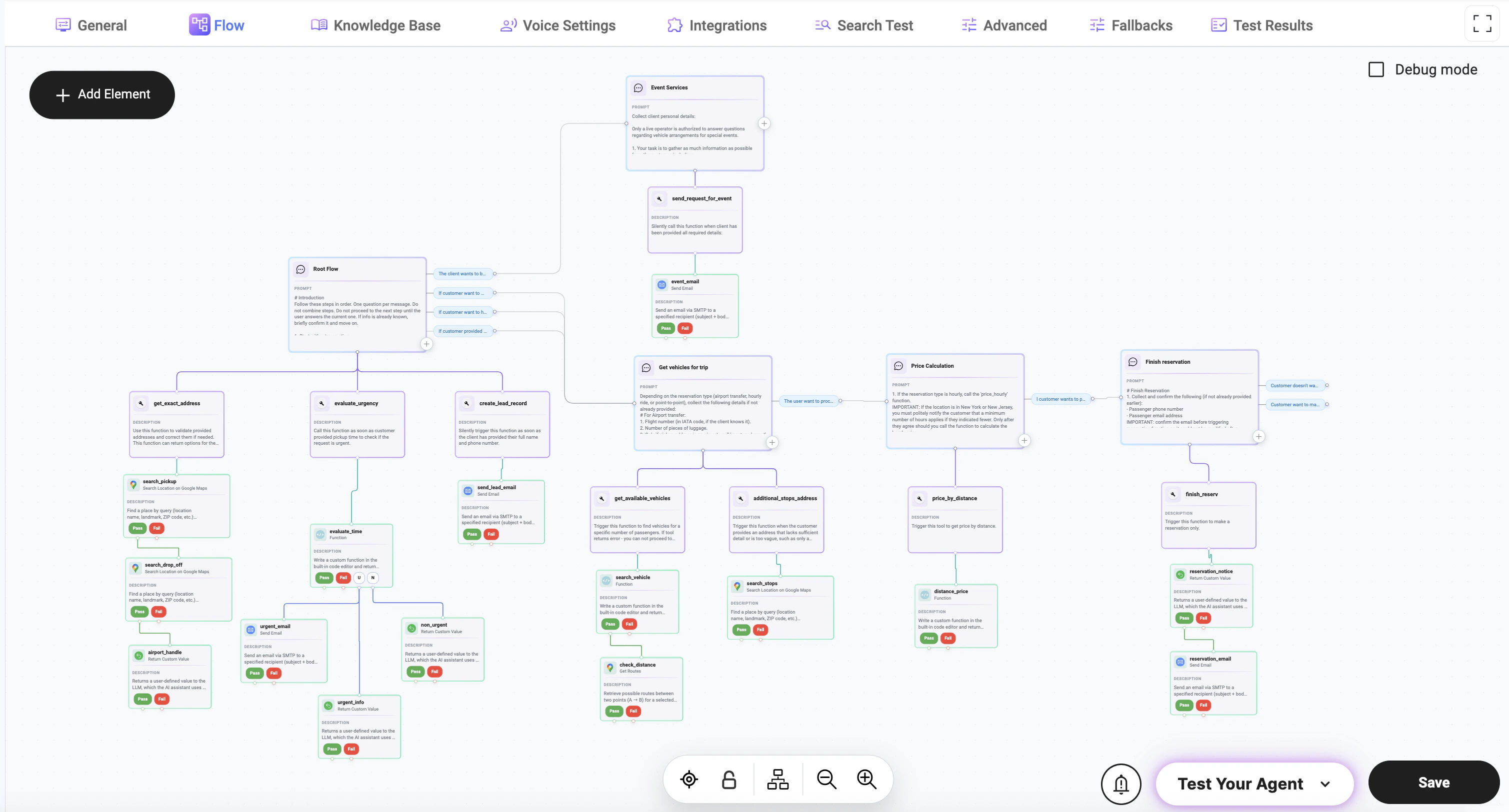
Adding Elements to the Flow
Click the + Add Element button on the canvas to create a new element in your flow. Available element types:- Node — handles conversation logic
- Action — executes tools or system operations
This node is used to send messages, ask questions, and collect user input. All elements must be connected using transitions to define how the flow progresses.
Node-Based Architecture
Each flow is composed of interconnected nodes that define how the interaction progresses. A node is a configurable step in the flow. Depending on its setup, a node can be used to:- collect user input (e.g., name, phone, address)
- send messages or prompts to the user
- apply logic or conditions
- trigger tools, APIs, or integrations
- process or transform data
- route the interaction to the next step
Node Configuration
Each node contains settings that control its behavior and interaction logic.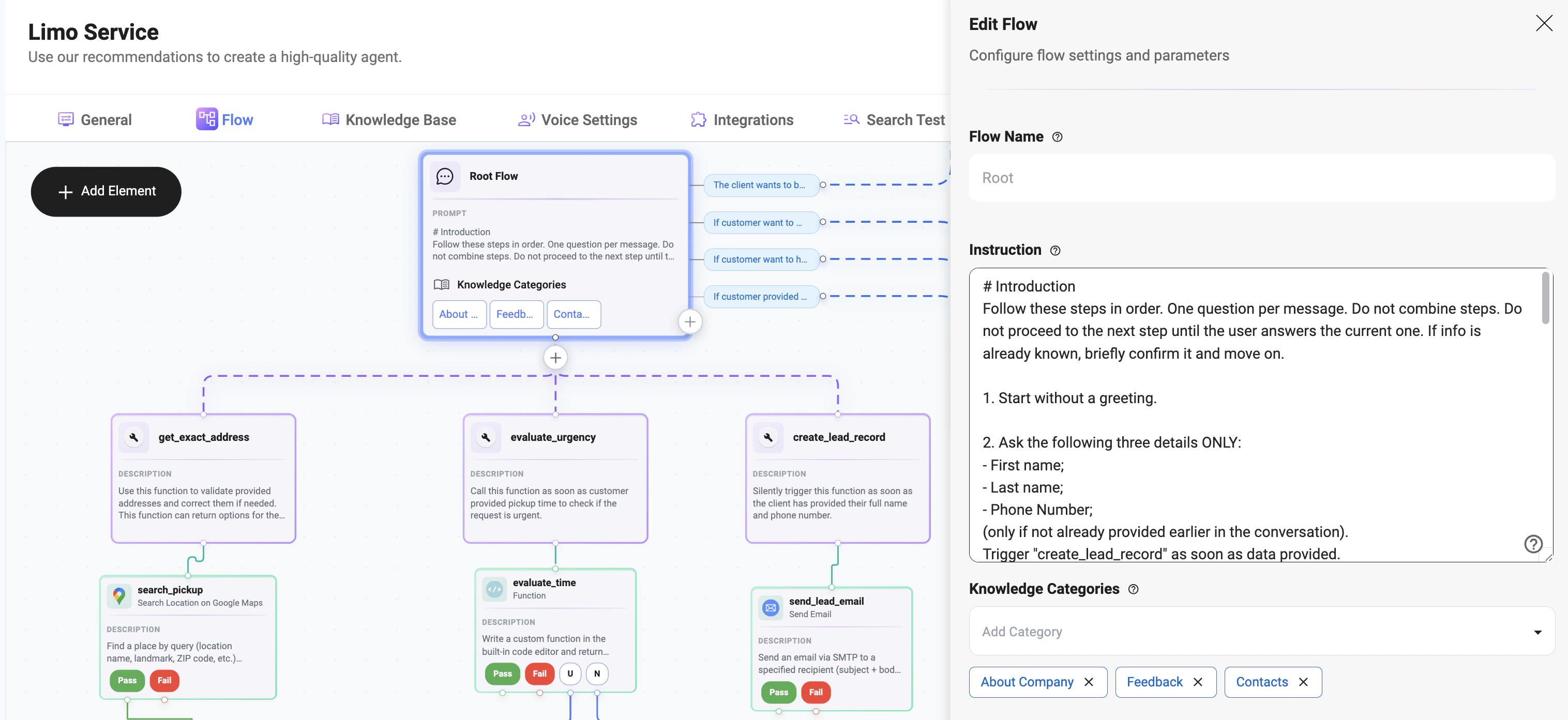
Flow Name
- Defines the name of the current flow
- Used for identification and organization
Instruction
Defines how the agent should behave within this node. This is the core logic that controls:- how the agent communicates
- what data should be collected
- how the conversation progresses
Large Language Model Settings
Each flow can have its own Large Language Model configuration, allowing behavior to be customized independently from the agent’s global settings. Available settings include:- Large Language Model — Select the model used for this flow.
- API Version — Specify the API version used for model requests.
- Temperature — Control response creativity and randomness.
- Reasoning Effort — Adjust how much reasoning the model applies before responding.
- Verbosity — Control the level of detail in generated responses.
- WebSocket — Enable or disable real-time streaming communication through a WebSocket connection when supported by the selected model.
Flow-level LLM settings apply only to the current flow and can override the agent’s default model configuration.